Library facilities and equipment available for reservation
You can reserve meeting rooms, research rooms, exhibition spaces or workshop spaces at the library. Each library also has computers and printing facilities for customers.
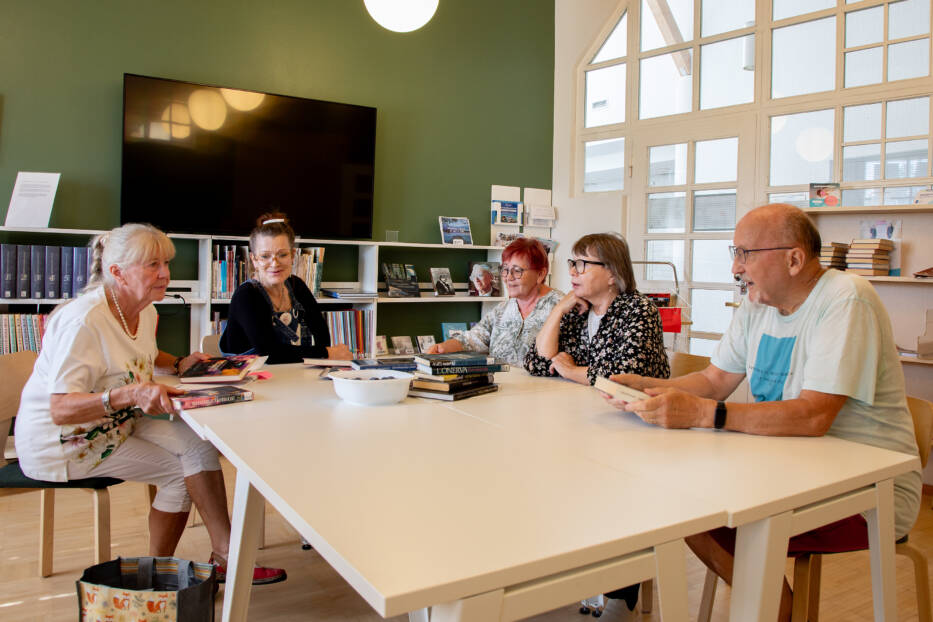
Main library facilities and equipment
Meeting rooms
Tuusula Main Library has two meeting rooms, Einari and Laura. You can reserve rooms for use by associations and clubs, for example.
Meeting rooms are booked via an electronic room booking programme.
If you have any questions regarding the use of the room reservation programme, please contact TuusInfo, the centralised customer service of the municipality of Tuusula.
Both meeting rooms have open wireless networks (Tuusula Vieras). You can bring your own meeting refreshments to the rooms. After using the rooms, please return the tables, chairs and other equipment to their original places and ensure that the room is left in a tidy condition.
Meeting room Einari
Einari has seating for 40 people at lecture tables. An additional 15 chairs can be provided on request (55 seats in total). The room is equipped with a video screen, document camera, overhead projector, whiteboard, flip chart and an induction loop. A laptop and conference speaker can also be provided on request.
Meeting room Laura
Laura has a large conference table and 20 chairs. The room is equipped with a video screen, video projector, screen, whiteboard and flipchart. A laptop and conference speaker are also available on request.
Meeting room usage fees
You can check the current prices on the Library fees and compensation page.
Research rooms
There are two research rooms in the Main Library. The rooms are primarily rented out for use by students and researchers. You can reserve a room for a maximum of three months at a time. The research rooms have an entrance from outside and do not have a toilet or water tap.
Both research rooms have computers with network connections and black-and-white printers. Printing is free of charge, but you must bring your own paper. You can also use your own laptop on the library’s wireless network.
Research room reservations and prices
You can apply for researcher rooms using the online form.
You can find the prices for researcher rooms on the Fees and reimbursements page.
Enquiries: Office Secretary Sanna Hokkanen, sanna.hokkanen@tuusula.fi, +358 40 314 3449
Group workspace
The main library has a group workspace for four people available for customers to use. You can use the group workspace for a maximum of two hours at a time. The group workspace cannot be reserved in advance.
Exhibition spaces
You can reserve exhibition space at the library for artworks, photography exhibitions, book collections or various hobby and craft exhibitions, for example.
Main library exhibition spaces
The exhibition space can be used to
- art wall suitable for hanging pictures
- display cases in the children’s section.
All exhibition spaces are located on the first floor of the library. You can visit the exhibition spaces during the library’s opening hours.
Instructions for exhibition organisers
The exhibition period is one month, and use of the premises is free of charge. The exhibition organiser is responsible for setting up and dismantling the exhibition. The exhibition organiser is responsible for the exhibition materials.
The library provides information about current exhibitions on its website, social media and in the local newspaper. The exhibition organiser is responsible for producing their own information material.
Reservations and further information
Exhibition space reservations: Alina Kuronen, alina.kuronen@tuusula.fi, +358 40 314 3452
Game room Epeli
Epeli is a gaming room for children and young people equipped with PlayStation 4 consoles. You can book gaming time at the library’s customer service desk. All Epeli users must have a valid library card. Use of the gaming room is free of charge.
Workshop (3D printer, sewing machine, label cutter and heat press)
You can use many devices independently in the workshop at the main library. The workshop has a 3D printer, sewing machine, vinyl cutter and heat press. Use of the workshop is free of charge, but some materials are subject to a fee.
The workshop activities are intended for customers of all ages. Children under the age of 15 require parental permission to use the workshop equipment. You can obtain a permission slip from the library’s customer service desk.
Book a time slot for using the workshop equipment from the library’s customer service. You can book a time slot for a maximum of six hours at a time during the library’s opening hours. You will need a Kirkes library card to book the workshop.
Workshop guidance
If you would like guidance in the use of the 3D printer or vinyl cutter send an email to kirjastonpaja@tuusula.fi. We will try to respond within the next business day. The guidance session lasts a maximum of 30 minutes. If you would like to continue your project afterwards, please mention it in your e-mail.
3D printer
The library uses an Ultimaker S3 3D printer. Use of the printer and materials are free of charge.
Sewing machine
Use of the sewing machine is free of charge. You will need to bring your own thread.
Vinyl cutter and heat press
The minimum age for using the vinyl cutter and heat press is 15 years.
Vinyl and sticker materials are subject to a charge.
Laminating machine
You can use the laminating machine on the first floor of the library without booking in advance. Use of the machine is free of charge, but laminating pouches are subject to a fee.
Digitising device
With a digitising device, you can transfer your old VHS tapes to DVD. To do this, you will need a blank DVD-R or DVD-RW disc. The recording time will be the same as the length of the original tape.
Book a time slot for the digitisation device at the library’s customer service desk. Use of the device is free of charge.
Children under the age of 15 require parental consent to use the device. Please request a consent form from customer service.
Customer computers
You can use the computers whenever they are available. There are a total of six computers for adults, two of which are intended only for quick tasks and printing. There are two computers for children in the children’s section. The library also has computers intended specifically for Kirkes-catalogue searching.
The recommended time limit for using computers is one hour per day. The computers meant for quick tasks and printing should be used maximum of 15 minutes.
Rules for using computers
Please note the following rules:
- Only one user may use the computer at a time.
- Gaming and chatting on quick use computers and computers reserved for search service is prohibited.
- Children under school age may only use computers under the supervision of an adult.
- No new programmes may be installed on the computers, and the screen settings may not be changed.
- The user is liable for compensation for damage to the machine resulting from improper use.
Noisy or offensive behaviour is prohibited in the library. Library staff have the right to remove disruptive customers from the library. Repeated violations of the rules will result in a longer-term ban from the library.
Wireless network
Free wireless internet access (Tuusula Vieras) is available in the library premises.
Printing, copying, scanning
You can copy, print and scan using the library’s multifunction device. Scanning is free of charge, but printing and copying are subject to a fee.
You can print from computers meant for adults. Printing from computers reserved for search service is not possible.
With the scanner, you can save your own photos and texts in digital format. You can save your scans either on your own memory stick or send them as email attachments. You will find instructions for use next to the scanner.
Self-service returning and self-checkout machines
The library has a self-service returning machine and two self-checkout machines, which you can use to loan and return materials independently.
Jokela Library premises and equipment
Exhibition spaces
The exhibition space can be utilised
- reading room display case
- an art wall suitable for hanging pictures.
You can reserve exhibition space at the library for artworks, photography exhibitions, book collections, or hobby and craft exhibitions, for example.
You can visit the exhibition spaces during the library’s opening hours.
Instructions for exhibition organisers
The exhibition period is one month, and use of the premises is free of charge. The exhibition organiser is responsible for setting up and dismantling the exhibition. The exhibition organiser is responsible for the exhibition materials.
The library provides information about current exhibitions on its website, social media and in the local newspaper. The exhibition organiser is responsible for producing their own information material.
Reservations and further information: jokelankirjasto@tuusula.fi, +358 40 314 4040
Story Room Vinkkeli
The Vinkkeli story room is intended for peaceful socialising, reading and playing games. The room has an Xbox game console. You can also use the library’s sewing machine in the Vinkkeli story room.
You can reserve a room through the library’s customer service. All Vinkkeli users must have a valid library card. A maximum of six people can use Vinkkeli at any one time.
Sewing machine
You can use the library’s sewing machine in the Vinkkeli story room. Book a time slot at the library’s customer service desk. Use of the sewing machine is free of charge, but you will need to bring your own thread.
Children under the age of 15 require parental consent to use the device. Please request a consent form from customer service.
3D printer
The library has an Ultimaker S3 3D printer. Use of the printer and materials is free of charge. Book a time slot for using the printer from the library’s customer service.
Children under the age of 15 require parental consent to use the device. Please request a consent form from customer service.
Laminating machine
You can use the laminating machine in the library’s newspaper room without booking in advance. Use of the machine is free of charge, but laminating pouches are subject to a fee.
Customer computers
There are customer computers in the library’s newspaper room:
- for longer (max 60 minutes) use
- for shorter (max 15 minutes) use
There is a computer intended specifically for Kirkes-catalogue searching.
There are two computers for gaming in the children’s section. You can reserve gaming time at the library’s customer service desk. Gaming time is one hour.
Printing, copying, scanning
You can copy, print and scan using the library’s multifunction device. Scanning is free of charge, but printing and copying are subject to a fee.
Self-service returning and loaning machine
The library has a self-service machine, which you can use to loan and return materials independently.
Kellokoski Library premises and equipment
Exhibition wall
The library has very small exhibition spaces. There are a few picture hooks on the back wall. If necessary, you can also use the notice boards and some of the shelf tops and window sills.
Use of the premises is free of charge. The exhibition organiser is responsible for setting up and dismantling the exhibition. The exhibition organiser is responsible for the exhibition materials.
The library has self-service hours when staff are not present and the items brought to the exhibition are available to customers throughout the library.
The library provides information about current exhibitions on its website and social media. The exhibition organiser is responsible for producing their own information material.
Reservations and further information: Kellokoski Library, +358 40 314 4245
3D printer
The library has an Ultimaker S3 3D printer. Use of the printer and materials is free of charge. Book a time slot for using the printer from the library’s customer service. Use of the 3D printer is not possible during self-service hours.
Laminating machine
You can use the laminating machine during library opening hours without booking an appointment. Use of the machine is free of charge, but laminating pouches are subject to a fee. The laminating machine cannot be used during self-service hours.
Customer computers
The library has three customer computers, two of which can be used for printing:
- Machine 1: for short-term use and information retrieval. Printing available.
- Machine 2: 30 minutes of use. No printing option.
- Machine 3: For 60 minutes of use. Printing available.
The children’s section has two customer computers that can be used for 30 minutes.
Printing, copying, scanning
You can copy, print and scan using the library’s multifunction device. The library’s multifunction device is not available during self-service hours. Scanning is free of charge, but printing and copying are subject to a fee.
Self-service returning and loaning machines
The library has two self-service machines, which you can use to loan and return materials independently.
This content has been translated using AI